 |
|
|
(1) Updates
(2) Who am I?
(3) Story
(4) Controls
(5) Walkthrough 1, 2, 3, 4, 5, 6, 7, 8, 9, 10, 11, 12
(6) Bertie Botts' Jellybeans
(7) Items
(8) Friends and Foes
(9) Spells and Enchantments
(10) Quidditch
(11) Pumpkin Pasties
(12) Chocolate Frog Cards
(13) Castle Maps 1, 2
(14) Tips and Tricks
(15) Frequently Asked Questions
(16) Credits
(17) Legal Stuff
 Gameboy Advance Game Walkthroughs Gameboy Advance Game Walkthroughs |
|
|
|
|
|
|
GAMEBOY GBA WORLD
Nintendo 3DS GameBoy Games, GBA Cheats, FAQs, Reviews, Walkthroughs |
|
|
|
|
|
Harry Potter and the Sorcerer's Stone Walkthrough.
By Schlave |
Who am I?
My nick is Schlave, so just have it as that. Before I start, I want to make it known that I'm no avid Potter fan. I don't go all-out and purchase all sorts of merchandise on Harry Potter, except the books written by JK Rowling, on him. The reason for making this walkthrough was to feed the increasing demand, and besides, the game is interesting. I've no patience to save up money, so I'm using an emulator and ROM (don't ask me where I got it). You don't have to worry about graphical mistakes because there are just about none. As for this walkthrough, it's just about complete. I aim to put in as much information to make a walkthrough I'm proud of. I hope it's not too confusing! And when you email me, make sure it's about mistakes or typos in the walkthrough. No junk mail or greetings, or chain mail, blah blah. And read the FAQ before e-mailing me. |
Story
When the game starts, several illustrations flash, along with text that told of how Harry Potter and the beginning all came about. Basically put, Harry Potter is a young boy who is famous for having thwarted a very evil wizard, named Voldemort, while he was a baby. He was then brought to a perfectly non-wizard family (non-wizards: Muggles) who "took care" of him. When Harry grew up, he received a letter which invited him to join the Hogwarts School of Witchcraft and Wizardry. He goes there, is sorted into one of the four groups of Hogwarts - Gryffindor, Slytherin, Hufflepuff and Ravenclaw - and ends up in Gryffindor. And that is how Harry, the character you play as, and the game itself, begins... |
Controls
Of course Harry has to move around! This is an RPG, isn't it?!
A Button : Communicate/Observe something
B Button : Cast spells (if available)
L Button : Cycle through spells learned
R Button : No major purpose in gameplay.
Start : Pause the game, adjust flying controls, turn off music etc.
Select : Bring up map and current objective, use L and R buttons to
cycle between map, miscellaneous items and cards from Chocolate Frogs. |
|
|
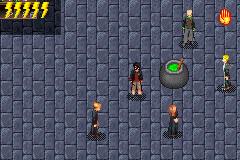
| Harry Potter and the Sorcerer's Stone |
|

|
|
Play NDS ROM Games, Movies and MP3s on
Nintendo 3DS and DSi with R4i 3DS SDHC
 * 3DS R4i SDHC, SuperCard DStwo 3DS * 3DS R4i SDHC, SuperCard DStwo 3DS
and AceKard 3 3DS - Shipping WorldWide.
Free delivery to UK, Canada, USA, EU
R4 3DS - AceKard 2i 3DS - R4i Card.
|
|
|
|
 Gameboy-Games.com Home Page